मान लीजिए आप रोज़ Gemini से ब्लॉग के लिए article outline बनवाते हैं। हर बार आपको बताना पड़ता है कि content Hinglish में लिखना है, headings कैसी होंगी, keywords कहां इस्तेमाल करने हैं और किन बातों से बचना है। फिर अगले दिन वही instructions दोबारा लिखनी पड़ती हैं।
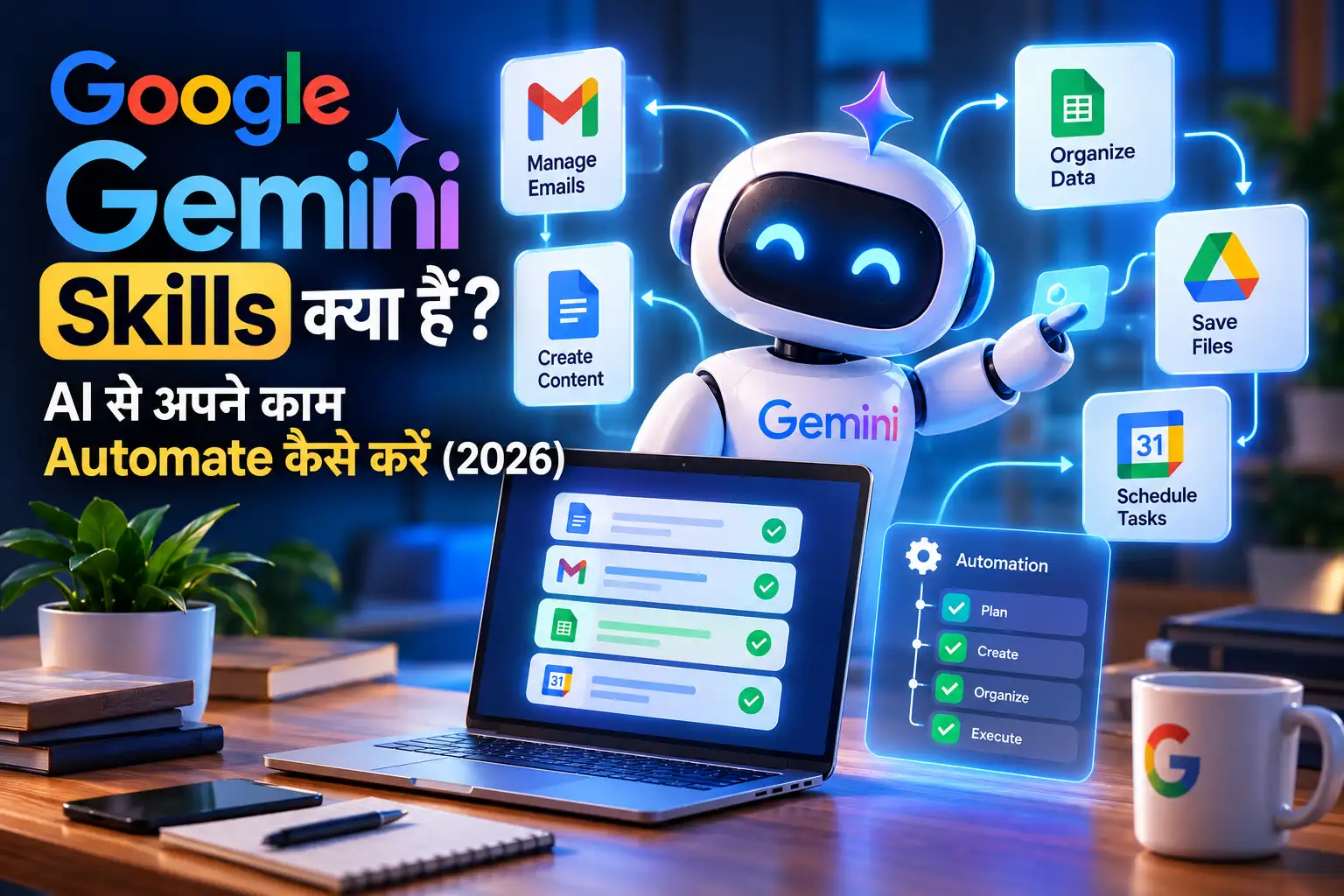
यहीं Gemini Skills काम आती हैं। Google ने 2026 में ऐसी reusable instructions की सुविधा पेश की है, जिनकी मदद से Gemini आपके बार-बार किए जाने वाले कामों के लिए एक तय workflow अपना सकता है। आपको हर conversation में शुरुआत से पूरी प्रक्रिया समझाने की जरूरत कम हो जाती है।
इस guide में आप जानेंगे कि Gemini Skills क्या हैं, इन्हें कैसे बनाएं, blogging और daily productivity में कैसे इस्तेमाल करें, और किन कामों में AI को बिना जांचे भरोसा नहीं करना चाहिए।
Quick answer: Gemini Skills ऐसी reusable instructions हैं, जिन्हें Gemini किसी relevant task के दौरान अपने आप इस्तेमाल कर सकता है या आप खुद select कर सकते हैं। ये repetitive workflows को आसान बनाती हैं, लेकिन हर external action को अपने आप execute करने की guarantee नहीं देतीं।
Gemini Skills क्या हैं और ये कैसे काम करती हैं?
Google के official Gemini Skills Help Center के अनुसार, Skills आपको अपनी instructions, preferences और workflow एक बार define करके अलग-अलग chats और tasks में दोबारा इस्तेमाल करने देती हैं।
इसे एक personal AI instruction manual की तरह समझिए।
उदाहरण के लिए, अगर आप blogger हैं, तो अपनी skill में ये नियम रख सकते हैं:
- Content सरल Hinglish में लिखना है।
- शुरुआत में reader की वास्तविक problem बतानी है।
- Unsupported statistics और fake personal experiences नहीं जोड़ने हैं।
- जरूरत के अनुसार examples और comparison tables देने हैं।
- Technical claims के लिए authoritative sources इस्तेमाल करने हैं।
अब जब आप इसी तरह का article बनवाएंगे, तो Gemini relevant होने पर आपकी skill का इस्तेमाल कर सकता है।
Google के अनुसार Skills को manually select करने के साथ-साथ Gemini उनकी relevance पहचानकर उन्हें automatically भी इस्तेमाल कर सकता है। आप multiple skills को एक task में combine भी कर सकते हैं।
एक जरूरी अंतर: Skill instructions को reusable बनाती है। यह अपने आप किसी website पर login करके article publish करने, email भेजने या किसी third-party service में बदलाव करने की permission नहीं बन जाती। ऐसे actions के लिए संबंधित tools, access और कभी-कभी आपकी approval की जरूरत हो सकती है।
Gemini Skills क्यों useful हैं?
हर AI conversation में instructions दोबारा लिखना छोटी परेशानी लगती है। लेकिन जब एक ही workflow रोज़ repeat होता है, तब यह unnecessary मेहनत बन जाती है।
1. बार-बार prompt लिखने की जरूरत कम होती है
मान लीजिए आप रोज़ Instagram captions लिखवाते हैं। हर बार audience, tone, character length और hashtags समझाने की जगह आप इन नियमों को एक skill में रख सकते हैं।
इससे काम शुरू करना आसान होता है और output का format अधिक consistent रह सकता है।
2. अपने काम का fixed process बना सकते हैं
एक skill सिर्फ tone या writing style नहीं, बल्कि काम करने का तरीका भी define कर सकती है।
उदाहरण: किसी topic पर research करते समय पहले official sources खोजें, फिर facts verify करें, उसके बाद outline बनाएं और अंत में limitations बताएं।
यह approach generic AI answer के मुकाबले ज्यादा structured workflow देती है।
3. अलग-अलग skills को combine कर सकते हैं
आपकी एक skill research के लिए और दूसरी writing style के लिए हो सकती है।
उदाहरण के लिए:
Research Skill + Hindi Writing Skill = Research-based Hindi draft
हालांकि, multiple skills में instructions conflict करें तो output की consistency प्रभावित हो सकती है। इसलिए हर skill का काम स्पष्ट और अलग रखना बेहतर है।
4. Beginners और professionals दोनों के लिए उपयोगी
Students notes बनाने, freelancers client briefs तैयार करने, creators social media content लिखने और bloggers article outlines बनाने के लिए Skills का इस्तेमाल कर सकते हैं।
इनका सबसे बड़ा फायदा तब है जब आपका काम बार-बार दोहराया जाता है। One-time सवाल के लिए अलग skill बनाने की जरूरत नहीं है।
Gemini Skills vs Gems vs Normal Prompts
Google Skills को पुराने Gems के replacement के रूप में ला रहा है। Google की 30 September 2026 की घोषणा के मुताबिक, personal accounts के लिए Gems से Skills की transition November 2026 से शुरू होनी है। Existing Gems को transition के दौरान automatically Skills में recreate करने की योजना भी बताई गई है।
| Feature | Normal Prompt | Gemini Gems | Gemini Skills |
|---|---|---|---|
| Instructions दोबारा इस्तेमाल | Manually prompt देना | Reusable custom assistant | Reusable workflow instructions |
| Consistent output | हर बार prompt पर निर्भर | Custom instructions से मदद | Specific workflow से मदद |
| Automatic relevance | सामान्यतः नहीं | अलग assistant खोलना पड़ सकता है | Relevant होने पर automatic use |
| Multiple workflows combine | Manual prompting | सीमित workflow flexibility | Multiple skills combine कर सकते हैं |
| Best use | One-time tasks | Existing custom assistants | Repeated tasks और workflows |
ध्यान दें: यह comparison सामान्य उपयोग के आधार पर है। Features और availability account तथा rollout के हिसाब से बदल सकते हैं। अधिक जानकारी के लिए Google की Gems से Skills transition guide देखें।
Gemini Skills कैसे बनाएं? Step-by-Step Guide
Google Gemini खोलकर नीचे दिए गए steps follow करें।
Step 1: Gemini में Skills section खोलें
- अपने Google Account से Gemini में sign in करें।
- Sidebar में Customize या उपलब्ध होने पर More विकल्प देखें।
- वहां Skills section खोलें।
- अगर यह विकल्प दिखाई नहीं देता, तो संभव है कि आपके account पर feature अभी उपलब्ध न हुआ हो।
Google की official documentation के मुताबिक Skills Gemini web app, Gemini mobile app और Mac app में उपलब्ध हैं, हालांकि availability और कुछ सुविधाएं account के अनुसार अलग हो सकती हैं।
Step 2: नई Skill बनाएं
Skills page पर आपको उपलब्ध विकल्पों के अनुसार इनमें से कोई तरीका मिल सकता है:
- Create with Gemini
- Create manually
- किसी template से शुरुआत
- Skill file upload करना
Beginners के लिए Create with Gemini आसान विकल्प है। इसमें आप सामान्य भाषा में बता सकते हैं कि Skill किस काम के लिए चाहिए।
उदाहरण:
“मेरे लिए एक Hindi blog writing skill बनाओ, जो technology topics पर research-based outlines तैयार करे, आसान Hinglish इस्तेमाल करे और बिना verification के कोई statistic न जोड़े।”
Step 3: Skill का नाम और instructions तय करें
Skill का नाम ऐसा रखें जिससे उसका उद्देश्य तुरंत समझ आए।
उदाहरण:
hindi-blog-writeryoutube-script-plannerstudy-notes-makerproduct-description-writer
Instructions में सिर्फ जरूरी नियम रखें। बहुत लंबी और कई अलग-अलग कामों वाली instructions के बजाय एक specific workflow ज्यादा आसान होता है।
Step 4: Skill save करके test करें
Skill create करने के बाद एक ऐसा task दें, जिस पर आप उसका व्यवहार जांच सकें।
उदाहरण:
“भारत में beginners के लिए 5 useful AI tools पर blog outline बनाओ।”
फिर देखें कि Gemini आपकी language, format और fact-checking instructions का पालन करता है या नहीं।
अगर output में generic introduction, unsupported claims या गलत formatting आ रही है, तो skill की instructions को सुधारें।
Step 5: Chat में Skill इस्तेमाल करें
Google के अनुसार, chat में Skill select करने के लिए prompt box में / और skill का नाम इस्तेमाल किया जा सकता है। Updated interface में @ shortcut भी उपलब्ध हो सकता है।
आप relevant task के दौरान Gemini को Skill चुनने के लिए कह सकते हैं या automatic use की सुविधा पर निर्भर कर सकते हैं।
ध्यान दें: अगर आपके interface में Skills या ये shortcuts दिखाई नहीं देते, तो उन्हें उपलब्ध मानकर न चलें। Feature rollout और interface बदल सकते हैं।
Bloggers के लिए 3 Practical Gemini Skills
अब सबसे उपयोगी हिस्सा—ऐसी instructions जिन्हें आप अपनी जरूरत के हिसाब से Skill में बदल सकते हैं।
Skill 1: Hindi Blog Research Assistant
यह skill नए blog topics पर research और outline बनाने में मदद करेगी।
Instructions:
तुम एक Hindi technology research assistant हो।
जब मैं कोई blog topic दूं, तो:
- Topic के लिए relevant official documentation और trustworthy sources पहचानो।
- Current claims, dates और statistics को available sources से verify करो।
- Facts, analysis और assumptions को अलग-अलग रखो।
- Article का search intent समझकर detailed outline बनाओ।
- Common reader problems, practical examples और limitations शामिल करो।
- कोई statistic या source verify न हो पाए तो उसे verified बताने के बजाय स्पष्ट रूप से बताओ।
Output सरल Hinglish में दो। पहले research findings, फिर suggested outline और sources की सूची दो।
कब इस्तेमाल करें: AI tools, WordPress guides, software tutorials और technology explainers के लिए।
Skill 2: SEO-Friendly Blog Draft Assistant
यह skill आपके content का structure consistent रखने में मदद करेगी।
Instructions:
तुम एक practical Hindi technology blog editor हो।
दिए गए topic और verified research के आधार पर:
- एक natural SEO title और meta description सुझाओ।
- पहले paragraph में reader की problem और focus keyword को स्वाभाविक रूप से शामिल करो।
- Clear H2 और H3 headings इस्तेमाल करो।
- जरूरत के अनुसार examples, comparison tables और step-by-step instructions दो।
- Fake personal testing, invented statistics और unsupported claims शामिल मत करो।
- जहां जरूरी हो, official external sources और relevant internal links के लिए suggestions दो।
- Article को publish-ready बनाने से पहले repetition, accuracy और readability की जांच करो।
अगर कोई जरूरी जानकारी missing है, तो assumption करने के बजाय उसे स्पष्ट करो।
कब इस्तेमाल करें: Blog outline से लेकर first draft और editorial review तक।
यह skill अपने आप article को Google में rank नहीं कराती। SEO performance content quality, competition, website authority, indexing और कई अन्य factors पर निर्भर करती है।
Skill 3: Content Repurposing Assistant
एक research-based article को social media formats में बदलने के लिए यह skill उपयोगी हो सकती है।
Instructions:
तुम एक content repurposing assistant हो।
जब मैं approved blog article दूं:
- उसके मुख्य facts और takeaways निकालो।
- एक Instagram caption बनाओ।
- एक short-form video script तैयार करो।
- एक Telegram या WhatsApp summary बनाओ।
- हर format के audience और length के हिसाब से language बदलो।
- Original article में मौजूद facts को बिना आधार के बदलना या बढ़ाना नहीं है।
- जहां additional information जरूरी हो, वहां उसे verify करने की सलाह दो।
हर output को अलग heading के अंतर्गत दो।
कब इस्तेमाल करें: Bloggers, YouTubers और social media managers के लिए।
इन examples को सीधे Skill instructions के रूप में इस्तेमाल करने से पहले अपनी website की editorial policy और जरूरत के अनुसार edit करें।
Gemini Skills से कितना काम Automate हो सकता है?
यह समझना जरूरी है कि AI workflow को automate करने के अलग-अलग स्तर होते हैं।
| काम | Skill की भूमिका | क्या check करना होगा? |
|---|---|---|
| Blog outline | Format और workflow तय करना | Topic coverage |
| Social captions | Brand tone और format बनाए रखना | Facts और tone |
| Study notes | Notes का structure तय करना | Original material से accuracy |
| Email drafts | Writing style और format | Recipient, facts और final sending |
| Daily report | Summary का format तय करना | Data freshness और completeness |
| WordPress publishing | Draft तैयार करने में सहायता | CMS access और publishing workflow |
Skills का उपयोग content preparation और repeated reasoning tasks को standardize करने में खास तौर पर उपयोगी है।
लेकिन Skill बनाना और end-to-end automation बनाना अलग चीजें हैं। अगर आपको किसी external website पर form submit करना, files move करना या WordPress पर post publish करना है, तो अलग integration या authorized tool की जरूरत हो सकती है।
Google की documentation में Tasks और scheduled actions का भी उल्लेख है। इनकी availability और subscription requirements अलग हो सकती हैं। इसलिए सिर्फ Skill create कर लेने से scheduled automation उपलब्ध होने की गारंटी नहीं है।
Gemini Skills की Limitations और जरूरी सावधानियां
1. हर account में feature उपलब्ध नहीं हो सकता
Google Skills को चरणबद्ध तरीके से उपलब्ध करा रहा है। Personal, work और school accounts के लिए rollout की timing अलग हो सकती है।
क्या करें: Official Help Center देखें और feature न दिखने पर कुछ समय बाद दोबारा जांचें।
2. Skill गलत instructions को भी follow कर सकती है
अगर आपने Skill में outdated information या गलत assumptions डाल दीं, तो वही समस्या भविष्य के outputs में भी दोहराई जा सकती है।
क्या करें: महत्वपूर्ण instructions को समय-समय पर review करें और बदलते facts को अलग से verify करें।
3. Automatic use का मतलब perfect output नहीं
Gemini किसी task के लिए relevant Skill पहचान सकता है, लेकिन इसका अर्थ यह नहीं कि हर बार सही Skill चुनी जाएगी या output पूरी तरह सही होगा।
क्या करें: जरूरी कामों में स्पष्ट रूप से Skill select करें और result की समीक्षा करें।
4. Privacy को ignore न करें
किसी Skill में confidential client details, passwords या private business information डालने से बचें। Uploaded files और connected apps इस्तेमाल करते समय यह समझें कि कौन-सी जानकारी process हो रही है।
Google के Gemini Apps Privacy Hub पर data और privacy से संबंधित मौजूदा जानकारी देख सकते हैं।
5. कुछ Gemini features के साथ सीमाएं हैं
Google की current Skills documentation के अनुसार, Skills कुछ सुविधाओं के साथ काम नहीं करतीं। इसमें Canvas और Deep Research जैसे features की limitations शामिल हैं। Supported capabilities समय के साथ बदल सकती हैं।
इसलिए complex workflow बनाने से पहले official documentation में compatibility जांचें।
Practical Insight: सबसे अच्छी Skill कैसी होनी चाहिए?
मेरे हिसाब से एक उपयोगी Skill बनाने का सबसे अच्छा तरीका है—एक Skill, एक मुख्य काम और स्पष्ट output rules।
उदाहरण के लिए, अगर आप एक ही Skill में research, writing, thumbnail design, social media posting और WordPress publishing सब डाल देंगे, तो instructions लंबी और manage करना मुश्किल हो सकता है।
इसके बजाय workflow को अलग रखें:
- Research Skill — facts और sources।
- Writing Skill — article structure और language।
- Repurposing Skill — captions और video scripts।
इसका फायदा यह है कि किसी एक चरण में बदलाव होने पर आपको पूरी workflow instructions दोबारा लिखने की जरूरत नहीं पड़ती।
एक और महत्वपूर्ण बात: किसी Skill की सफलता सिर्फ उसके नाम या instructions की लंबाई से तय नहीं होती। उसे वास्तविक tasks पर test करना चाहिए। एक ही तरह के दो-तीन representative tasks पर output जांचें, गलतियों को note करें और फिर instructions सुधारें।
Common Mistakes जो आपको Avoid करनी चाहिए
- बहुत generic instructions: “अच्छा content लिखो” के बजाय expected format और quality criteria बताएं।
- एक Skill में बहुत सारे unrelated tasks: अलग workflows के लिए अलग Skills बनाएं।
- हर AI output को सही मानना: विशेषकर statistics, current updates और technical instructions verify करें।
- हर छोटे काम के लिए Skill बनाना: One-time tasks के लिए normal prompt पर्याप्त हो सकता है।
- Outdated instructions को न बदलना: बदलती policies, software features और workflows को समय-समय पर update करें।
- Automation को permission समझना: Skill की instructions external services पर actions करने का access अपने आप नहीं देतीं।
Gemini Skills बनाने से पहले Checklist
- मेरा task बार-बार repeat होता है।
- Skill का एक स्पष्ट उद्देश्य है।
- Instructions concise और specific हैं।
- Expected output format बताया गया है।
- जरूरी examples और quality rules शामिल हैं।
- Facts को verify करने के निर्देश हैं।
- Confidential information अनावश्यक रूप से शामिल नहीं है।
- Skill को representative tasks पर test किया है।
- जरूरत के अनुसार instructions revise की हैं।
- External actions के लिए अलग permissions और integrations जांचे हैं।
FAQs: Gemini Skills से जुड़े जरूरी सवाल
1. Gemini Skills क्या हैं?
Gemini Skills reusable instructions हैं, जिनकी मदद से Gemini recurring tasks में आपकी पसंद, rules और workflow का पालन करने में मदद कर सकता है।
2. क्या Gemini Skills मुफ्त हैं?
Google की documentation के अनुसार Skills का उपयोग करने के लिए Google AI subscription जरूरी नहीं है। हालांकि, account eligibility, rollout और कुछ संबंधित Gemini features की अपनी requirements हो सकती हैं।
3. Gemini Skills कैसे बनाएं?
Gemini web app खोलें, Skills section में जाएं और उपलब्ध विकल्प के अनुसार Create with Gemini, manual creation, template या supported file upload का उपयोग करें।
4. Gemini Skills और Gems में क्या अंतर है?
Gems custom AI assistants बनाने के लिए इस्तेमाल होते थे, जबकि Skills reusable instructions को chats और workflows में अधिक आसानी से लागू करने के लिए डिजाइन की गई हैं। Google Gems को चरणबद्ध तरीके से Skills से replace कर रहा है।
5. क्या Gemini Skills अपने आप tasks कर सकती हैं?
Skills instructions को reuse और relevant tasks में apply कर सकती हैं। लेकिन external actions, integrations और scheduled workflows के लिए अलग capabilities या permissions की जरूरत हो सकती है।
6. क्या bloggers के लिए Gemini Skills उपयोगी हैं?
हां। Bloggers research outlines, article structure, brand voice, content repurposing और editorial checklists जैसे recurring tasks के लिए Skills का इस्तेमाल कर सकते हैं। Final content की accuracy और originality की जांच फिर भी जरूरी है।
7. Gemini Skills दिखाई नहीं दे रही हैं, क्या करें?
Gemini में सही Google Account से sign in करें, Skills Help Center देखें और feature availability जांचें। अगर account पर rollout अभी नहीं हुआ है, तो कुछ समय बाद दोबारा प्रयास करें।
Final Verdict: क्या आपको Gemini Skills इस्तेमाल करनी चाहिए?
अगर आप Gemini से रोज़ एक जैसे काम करवाते हैं, तो Skills आपके लिए उपयोगी हो सकती हैं। ये बार-बार instructions लिखने की मेहनत कम कर सकती हैं और repeated tasks में एक consistent workflow बनाने में मदद करती हैं।
लेकिन इसे एक जादुई automation button समझना सही नहीं होगा। Skill जितनी स्पष्ट होगी, उसका उद्देश्य जितना सीमित होगा और आप उसके output को जितना अच्छी तरह test करेंगे, उससे उतना ही बेहतर काम लेने की संभावना होगी।
शुरुआत करने का आसान तरीका: आज अपने सबसे ज्यादा repeat होने वाले AI task को चुनें, उसके लिए एक छोटी Skill बनाएं और उसे तीन अलग-अलग examples पर test करें। फिर देखें कि क्या instructions में सुधार की जरूरत है।
अगर आप blogging करते हैं, तो Hindi Blog Research Assistant या Content Repurposing Assistant से शुरुआत करना practical रहेगा।
आप Gemini Skills का इस्तेमाल किस काम के लिए करना चाहेंगे—blogging, पढ़ाई, office work या social media? अपना use case comment में बताएं और RealTechBuddy पर AI tools तथा blogging से जुड़ी दूसरी practical guides भी पढ़ें।
10 Best AI Apps 2026 — broad AI-tools comparison के लिए सबसे relevant existing article.
10 Best AI Apps 2026ChatGPT photo prompts — image editing और prompt examples
5 Viral ChatGPT Prompts for Pictures of Yourself Aesthetic Lofi Dusk AI photo prompts — AI photo
10 Viral Lofi Dusk Prompts