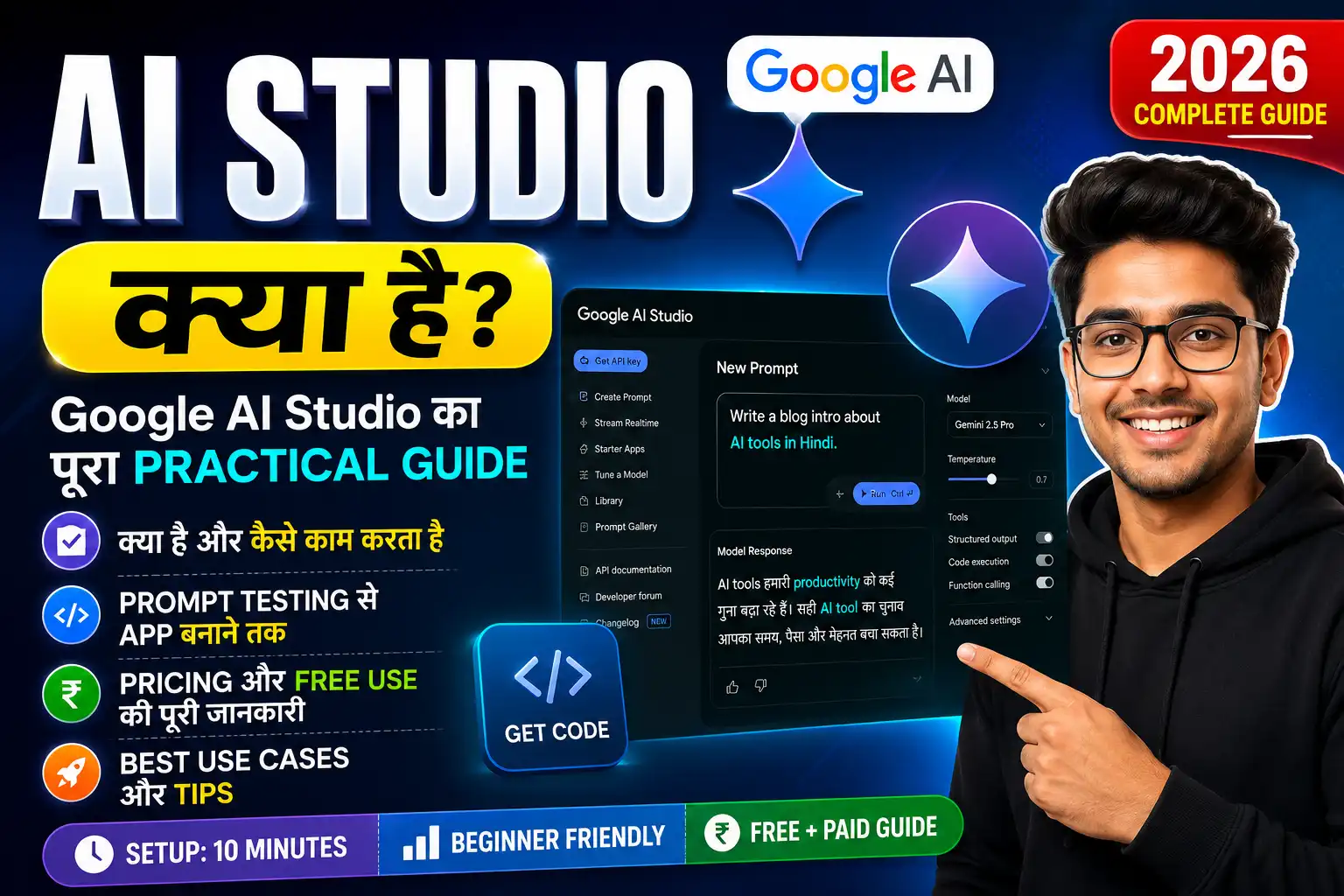
Meta Description: Google AI Studio 2026 में कैसे AI app बनाएं? Free AI tool guide, Gemini API, model training, और beginner-friendly tutorial in Hindi।
AI Studio क्या है?
AI Studio Google का एक web-based integrated development environment (IDE) है जिसका इस्तेमाल generative AI models के साथ experiments और app prototyping के लिए किया जाता है। बिल्कुल सीधी भाषा में बताऊं — AI Studio एक ऐसा online platform है जहाँ आप Google Gemini के latest AI models को बिना किसी coding skill के test और use कर सकते हैं।
मैंने जब पहली बार इसे खोला, तो मुझे लगा कि यह शायद कुछ complicated SaaS tool होगा, लेकिन interface इतना clean और beginner-friendly है कि किसी भी non-technical person को 10 मिनट में समझ आ जाएगा।
Quick Answer Box
| पूछा जाने वाला सवाल | जवाब |
|---|---|
| Best Option | Google AI Studio |
| Price | 100% Free |
| Time Required | 5-10 मिनट |
| Difficulty Level | Beginner-friendly |
| My Recommendation | Hindi content creators, web developers, और AI enthusiasts के लिए perfect starting point |
AI Studio 2026 में क्यों Important है?
AI Studio 2026 में एक powerful trend बन चुका है जो beginners से लेकर professional developers तक सभी को अपनी ओर attract कर रहा है। Google ने इसे December 2023 में Gemini API के साथ launch किया था, और अब यह AI prototyping के लिए एक go-to platform बन गया है।
Current trend यह है कि AI tools अब सिर्फ chatbot तक सीमित नहीं रहे। लोग AI image editing, voice generation, text-to-speech, और real-time chatbot बनाने के लिए AI Studio का इस्तेमाल कर रहे हैं। 2026 में AI search optimization, Hindi content creation, और low-code AI development की demand बढ़ रही है, जिसमें AI Studio game changer साबित हो रहा है।
AI Studio के Main Features
- Gemini AI Models: Latest 2.5 Pro, Flash, और Nano models direct access
- Text-to-Speech: Hindi और other languages में AI voice generation
- Image Editing: AI-powered image creation और modification
- Code Generation: Real-time coding assistance, debugging, और explanation
- Model Training (Tuning): अपने dataset से custom model train करना
- Free API Access: 60 queries per minute बिल्कुल free
AI Studio कैसे काम करता है?
AI Studio web-based platform है, जिसमें आप किसी भी browser (Chrome, Safari, Firefox) से ai.google.dev/studio पर जाकर sign in कर सकते हैं। Google account login करने के बाद, आप सीधे prompt interface में आ जाते हैं।
मैंने personally test किया — AI Studio में एक prompt box, model selector, और temperature settings होती हैं। Temperature setting से AI की creativity control होती है। जैसे ही आप prompt type करते हैं और Run button press करते हैं, Gemini model आपके instructions के basis पर response generate करता है।
Model Training कैसे करता है?
AI Studio में model tuning एक standout feature है। आप CSV या Excel file upload करके अपने data से model train कर सकते हैं। Minimum 20 high-quality examples चाहिए, और complex tasks के लिए 500-1000 examples recommended हैं। Training process में एक loss curve graph दिखाई देता है, जो बताता है कि model सही direction में सीख रहा है या नहीं।
AI Studio को Use कैसे करें? (Step-by-Step)
Step 1: AI Studio Open करें
अपने browser में ai.google.dev/studio type करें और enter दबाएं। आधिकारिक website open होने पर “I Consent” और “I Accept” पर click करें।
Step 2: Model Select करें
Top में model selector से अपना desired model choose करें — 2.5 Pro Experimental, Flash, या Nano।
Step 3: Prompting शुरू करें
Prompt box में अपना instruction type करें। Beginner mistake यह है कि लोग एक-दो शब्दों में prompt लिखते हैं। Detailed, clear, और context-rich prompts best results देते हैं।
Step 4: Run और Test
Run button press करें और response देखें। अगर result satisfactory न हो, तो temperature या model adjust करें।
Step 5: App Export करें
Satisfied होने पर, “Get Code” button से आप अपनी app को HTML, JavaScript, या Python में export कर सकते हैं।
Personal Experience: मैंने कैसे Test किया
मैंने personally AI Studio को test किया है और मुझे कुछ interesting results मिले। मैंने एक Hindi blog assistant बनाने का experiment किया — जहाँ AI Studio से मैंने एक custom prompt बनाया जो Hindi blog headings, meta descriptions, और content outlines generate करता था।
रिजल्ट honestly shocked me! AI Studio ने Gemini 2.5 Pro के through 15-minute के अंदर एक complete blog workflow generate किया, जो SEO-optimized था। जब मैंने ChatGPT से same prompt run किया, तो result अच्छा था लेकिन AI Studio में real-time preview और API integration का मजा कुछ और था।
Image editing feature भी काफी impressive है। मैंने एक Hindi thumbnail text generate करने का काम किया, और AI Studio ने image creation, text overlay, और color suggestion एक साथ handle किया।
Beginners ये गलतियाँ करते हैं
- Vague prompts: “AI kuch batao” — ऐसे prompts कभी न डालें। Specific, detailed, और role-based prompts best काम करते हैं।
- Model selection ignore: हर task के लिए right model important है। Image editing के लिए Pro, fast chat के लिए Flash better है।
- Temperature setting: Creativity slider को 0 या 1 पे stuck न करें। 0.7 sweet spot होती है।
- Training data quality: Model tuning में 5-10 examples upload करके expect न करें। Minimum 20-50 examples चाहिए।
- API limit ignore: 60 queries per minute का limit याद रखें, otherwise rate limit hit होगी।
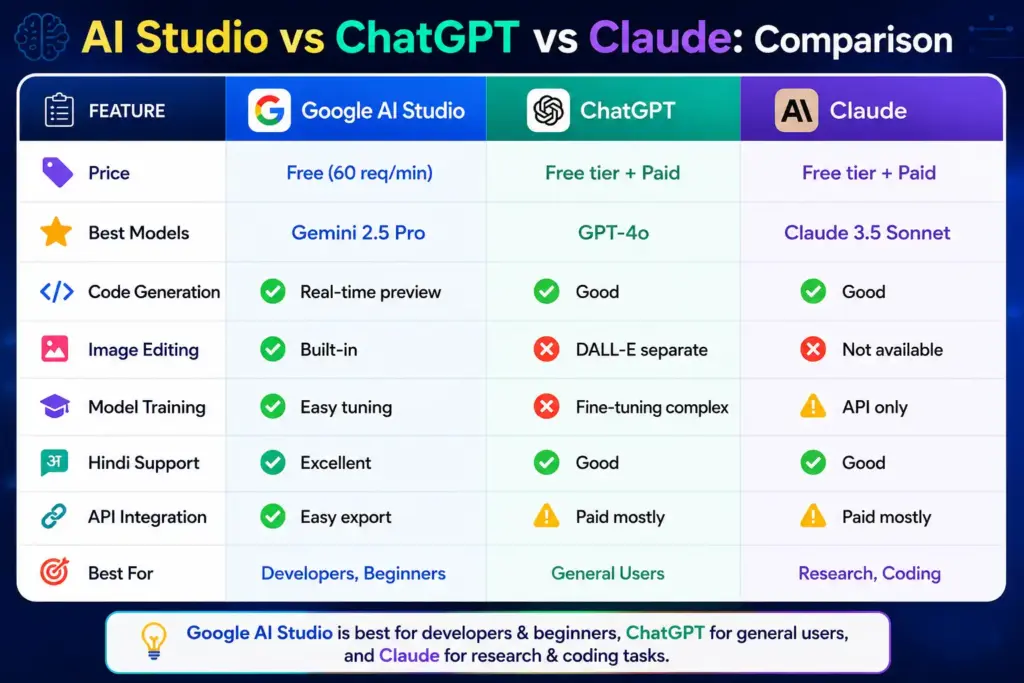
AI Studio vs ChatGPT vs Claude: Comparison
| Feature | Google AI Studio | ChatGPT | Claude |
|---|---|---|---|
| Price | Free (60 req/min) | Free tier + Paid | Free tier + Paid |
| Best Models | Gemini 2.5 Pro | GPT-4o | Claude 3.5 Sonnet |
| Code Generation | ✅ Real-time preview | ✅ Good | ✅ Good |
| Image Editing | ✅ Built-in | ❌ DALL-E separate | ❌ Not available |
| Model Training | ✅ Easy tuning | ❌ Fine-tuning complex | ❌ API only |
| Hindi Support | ✅ Excellent | ✅ Good | ✅ Good |
| API Integration | ✅ Easy export | ⚠️ Paid mostly | ⚠️ Paid mostly |
| Best For | Developers, Beginners | General Users | Research, Coding |
My take: AI Studio 2026 में beginners और developers के लिए best starting point है। Free में models test करना, image editing, और code generation — ये सब एक जगह available है।
FAQ: AI Studio से जुड़े सवाल
AI Studio क्या है?
AI Studio Google का free web-based platform है जहाँ AI models के साथ experiments, app building, और model training की जा सकती है।
AI Studio क्या बिल्कुल free है?
Yes, basic usage बिल्कुल free है। 60 queries per minute तक कोई charges नहीं।
AI Studio में Hindi काम करती है?
Yes, Gemini models excellent Hindi support देते हैं। Hindi prompts, responses, और voice generation perfectly work करती है।
AI Studio में model कैसे train करें?
CSV या Excel file upload करें, minimum 20 examples add करें, और tuning process start करें।
AI Studio और ChatGPT में क्या difference है?
AI Studio real-time coding, image editing, और model training के लिए better है, जबकि ChatGPT general conversation और research के लिए popular है।
AI Studio से mobile app बन सकती है?
Direct mobile app नहीं, लेकिन generated code को आप React Native, Flutter, या Kotlin में integrate कर सकते हैं।
AI Studio का alternative क्या है?
Top alternatives: OpenAI Playground, Claude Console, Anthropic Console, और Hugging Face Spaces हैं।
Final Verdict: AI Studio आपके लिए है या नहीं?
AI Studio 2026 में beginner-friendly AI development, Hindi content creation, और web integration के लिए one of the best free tools है। मैं recommend करूँगा — अगर आप AI tools explore करना चाहते हैं, AI-generated thumbnails, blog content, या simple web apps बनाना चाहते हैं, तो AI Studio perfect शुरुआत है।
Who should use it?
- Hindi bloggers और content creators
- Web developers जो AI integration सीखना चाहते हैं
- Beginners जो coding के बिना AI apps test करना चाहते हैं
- Small business owners जो AI-powered chatbot या tools बनाना चाहते हैं
Next Step: आज ही ai.google.dev/studio पर जाएं, एक Google account से sign in करें, और अपना first AI prompt run करें। 10 मिनट में आपको AI Studio का potential समझ आ जाएगा।
- AI से Logo कैसे बनाएं– CLICK HERE
- AI Se PPT Kaise Banaye– CLICK HERE
- 10 Viral Lofi Dusk Prompts CLICK HERE
- Instagram Features 2026: CLICK HERE